
A smooth computer experience depends on several factors, including hardware quality, software compatibility, graphics settings, and system maintenance. Whether someone enjoys competitive gaming, edits videos, or uses demanding applications, computer performance can directly affect productivity and entertainment. Slow loading times, unexpected frame drops, and system interruptions can make even a powerful computer feel frustrating.
Fortunately, users can take practical steps to understand and improve their systems. Keeping graphics drivers updated, measuring gaming performance, and checking hardware capabilities are useful ways to identify potential problems. Tools such as an FPS calculator and PC performance testing solutions can make this process easier, especially for people who want to understand their computer before upgrading its components.
Why Keeping Computer Drivers Updated Matters
Drivers are crucial software elements that enable communication between hardware and operating systems. Graphics cards, audio devices, network adapters, and other computer components depend on compatible drivers to function correctly.
When drivers become outdated, users may experience compatibility problems, unexpected errors, reduced performance, or difficulties running newer applications. Graphics drivers are particularly important for gaming because they help games communicate efficiently with the GPU.
To update drivers users should first identify the hardware installed in their computers. They can then visit the manufacturer’s official website or use the appropriate software utility to find compatible versions.
Regular driver maintenance offers several potential benefits:
- Improved compatibility with newer games and applications.
- Fixes for previously identified software problems.
- Better communication between hardware and the operating system.
- Access to supported graphics improvements.
- Reduced chances of encountering certain driver-related errors.
However, installing every available driver update without checking compatibility is not recommended. Users should always select versions intended for their specific hardware.
Understanding FPS and Its Importance in Gaming
Frames per second, commonly called FPS, measures how many individual frames a computer displays every second. This measurement is important because it influences how smooth a game appears during movement and interaction.
For example, a game running at 30 FPS may feel less responsive than the same game running at 60 FPS. Competitive players often prefer higher frame rates because smoother visuals can make fast movements easier to follow.
However, FPS is not determined by the graphics card alone. Several hardware and software factors influence gaming performance, including:
- Graphics processing unit (GPU).
- Central processing unit (CPU).
- Available system memory.
- Game resolution and graphics settings.
- Driver versions.
- Background applications.
- Cooling and temperature conditions.
Understanding these factors helps users identify why a particular game might perform differently on two computers with similar specifications.
How an FPS Calculator Helps Gamers
An FPS calculator is a useful tool for estimating or understanding gaming performance based on computer hardware and other system details.
Depending on the tool, users may enter information about their processor, graphics card, RAM, resolution, and selected game. The calculator then provides an estimated performance range or related hardware information.
This can be helpful when someone wants to purchase a new game, compare different graphics cards, or determine whether an existing computer is suitable for a particular gaming experience.
For example, someone using an older graphics card may want to understand whether upgrading the GPU could improve performance in demanding titles.
An FPS calculator can provide an initial reference, but its estimates should not be treated as guaranteed results. Actual performance changes according to game optirate my PC mization, driver compatibility, cooling, and graphics settings.
For more reliable information, users should compare calculator estimates with real gameplay benchmarks.
Why You Should Rate My PC Before Upgrading
Many computer owners consider purchasing additional hardware whenever they experience slow performance. However, upgrading without identifying the actual problem can lead to unnecessary spending.
Searching for a way to rate my PC is a practical starting point for understanding overall system capabilities.
PC evaluation tools examine different hardware components and may provide information about processor performance, graphics capabilities, available memory, and storage.
These results help users understand whether their computers are suitable for gaming, everyday productivity, or demanding creative applications.
A proper PC assessment can also reveal possible limitations. For example, a computer might have a powerful graphics card but insufficient RAM for certain games. Another system may have enough memory but an older processor that struggles with modern applications.
Understanding these differences helps users prioritize upgrades based on actual requirements.
Identifying Hardware Bottlenecks
A hardware bottleneck occurs when one component limits the performance of other components in a computer.
For example, a powerful GPU may not reach its full potential if an older CPU cannot process instructions quickly enough. Similarly, limited RAM can cause interruptions when running demanding games alongside background applications.
Identifying bottlenecks is important because replacing the wrong component may produce disappointing results.
Users can monitor CPU usage, GPU utilization, memory consumption, and temperatures while running demanding applications.
If one component consistently reaches its performance limits while others remain underused, further investigation may be necessary.
A balanced hardware configuration generally provides a better experience than focusing on a single powerful component.
Simple Ways to Improve Gaming Performance
Improving gaming performance does not always require purchasing new hardware. Several adjustments can help users achieve a smoother experience with their existing computers.
1. Update Graphics Drivers
Check for compatible driver updates from the GPU manufacturer’s official website. New releases may include game-specific improvements and important bug fixes.
2. Adjust Graphics Settings
Reducing demanding settings such as shadows, reflections, and advanced effects can improve frame rates on less powerful systems.
3. Close Unnecessary Background Applications
Applications running in the background consume processing power and memory. Closing unnecessary programs can free resources for games.
4. Monitor System Temperatures
Excessive heat can cause hardware components to reduce their operating speeds. Maintaining proper airflow and cleaning dust from cooling systems can help prevent overheating.
5. Check Available Storage
A nearly full storage drive can create system management problems. Removing unnecessary files and maintaining sufficient free space helps keep the computer organized.
6. Review Startup Programs
Some applications automatically launch when Windows starts. Disabling unnecessary startup programs can reduce background activity and improve startup times.
Choosing the Right Tools for PC Performance Analysis
Different tools serve different purposes, so users should understand their requirements before selecting one.
Driver management utilities can help identify outdated software and simplify compatible updates. Hardware monitoring applications provide information about component temperatures and resource usage. Benchmarking programs measure performance under specific workloads.
An FPS calculator is useful for estimating gaming capabilities, while PC evaluation tools help users understand the strengths and weaknesses of their hardware.
When choosing software, consider its compatibility, accuracy, ease of use, and available features. Download applications from official websites and review their permissions before installation.
Users should also avoid relying on a single performance score. A computer might perform well in everyday tasks but struggle with demanding games. Evaluating individual components provides a more complete picture.
Building a Better Long-Term PC Maintenance Routine
Regular maintenance can help computers remain reliable over time. Instead of waiting until performance problems become serious, users should develop a simple maintenance routine.
Check important driver updates periodically, remove unnecessary applications, monitor available storage, and keep Windows updated. It is also useful to review hardware temperatures during demanding workloads.
Before making major system changes, create a restore point or backup important files. This provides an additional layer of protection if an update or configuration change causes unexpected problems.
Consistent maintenance makes it easier to identify performance changes and address small issues before they become more difficult to troubleshoot.
Conclusion
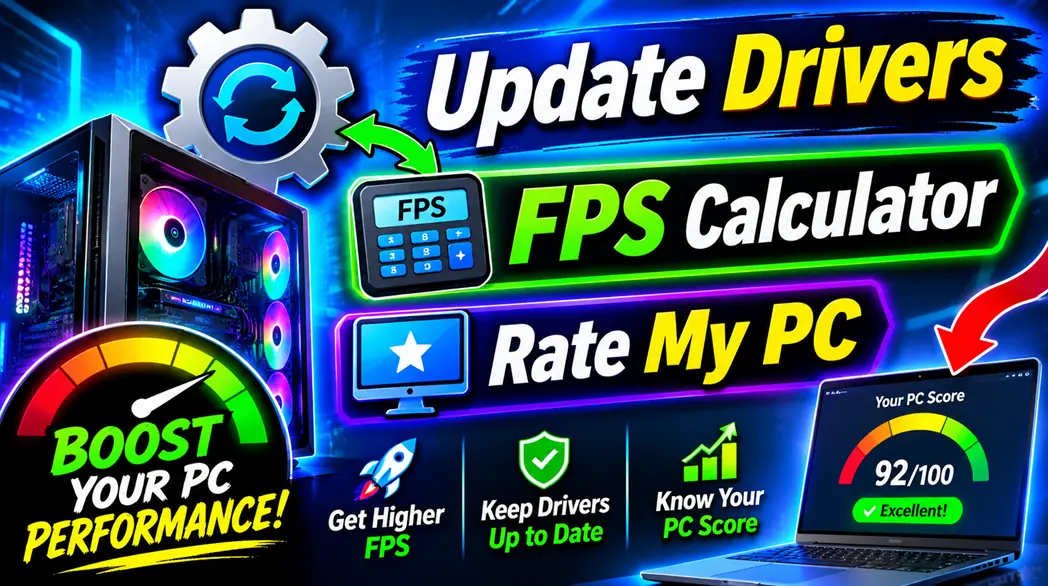
Getting better computer performance starts with understanding how hardware and software work together. Regularly choosing compatible ways to update drivers can improve stability and compatibility, while an FPS calculator helps gamers estimate what their systems may deliver in different games.
Similarly, using tools to rate my PC can reveal hardware strengths, potential limitations, and possible upgrade opportunities.
Rather than immediately purchasing expensive components, users should first evaluate their computers, monitor performance, and make sensible adjustments. With proper driver maintenance, accurate performance testing, and a balanced hardware configuration, it becomes easier to enjoy smoother gaming and a more reliable computing experience.
Also Read-The Funny Side of Modern Life: From Shopping Habits to Workplace Technology