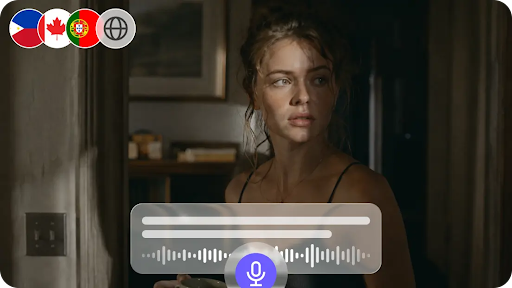

A new AI-powered tool from Dreamina called SeedAudio 1.5 uses speech, music, sound effects, and environmental sounds to generate audio for digital projects. With SeedAudio, creators can create sounds to make their digital projects feel more real. For example, an otherwise boring conversation can become interesting when delivered by a good voice and accompanied by appropriate background sounds. Sounds can also be used to elevate a digital project to something far more engaging.
From Simple Recordings to Detailed Sound Experiences
SeedAudio 1.5 is able to understand different forms of creative input, and to create audio from that input. Audio production generally involves a lengthy process that usually includes voice recording, background recording, music selection, and editing. The process can become quite difficult when creating an audio piece that contains many different characters and in complex environments. SeedAudio 1.5 can produce recordings and music in addition to handling the background recording.
What Makes SeedAudio 1.5 Interesting?
SeedAudio 1.5 allows users to specify an audio scene with text, an audio reference, and a video feed. Users can also describe the scene they are in and the environment that surrounds them, as well as instructions to describe the atmosphere surrounding a conversation. SeedAudio is focused on the full audio scene, rather than just speech generation. People can approach their projects based on the material that they are using.
Why Separate Audio Tracks Matter
Audio scenes contain dialogue, music, sound effects, and special effects. In the SeedAudio 1.5 software, sound is recorded on different tracks for each kind of sound. The software provides the flexibility to edit individual sounds separately instead of being limited to editing on one track. For example, if the background music is too loud, the level can be reduced without changing the quality of the spoken words. This reduces the amount of time needed for editing in post-production.
Creating Better Transitions Between Sounds
A good scene should naturally rise from one part to another. For example, the music can start soft and build up to a crescendo, or the atmosphere can change when a character walks into another part of the scene. Now with the new release of Seed Audio 1.5, you can be more precise in your programming of scenes by programming in time-stamps for the various components of a scene. You can set the time when characters begin to speak, sound effects are played, and the atmosphere can change. This can be very useful with a scene with lots of action.
More Space for Full Audio Stories
The Seed Audio 1.5 also enables creators to generate audio for longer durations of up to six minutes. This can give creators the opportunity to generate audio stories, podcast episodes, video narration, and the like, which can be longer in nature. For instance, dialogues between characters, a narration from the point of view of a single character, a dramatic piece, and the like can be longer in duration, such as more than a minute. Quick content can be good, but longer generations would be more efficient in conveying stories.
How This Can Make a Difference for Content Creators
The audio world has been very interested in AI tools and what they may do to change this field of work. Among some of the newest AI tools available is a text, audio, and video generator software known as Seed Audio 1.5. Seed Audio 1.5 is a free resource designed to give producers who create sounds more options in how they can go about creating their sound. It’s supposed to give the producer the option to incorporate multiple speakers, separate the tracks, and extend the sounds more than ever before. This doesn’t mean that it’s going to take over all aspects of sound creation; it’s just going to be a tool in aiding in the exploration of creating music.
Conclusion
Seed Audio is an AI audio generator that allows you to create character speech, music, ambient sound, or video-audio background. Depending on what kind of data needs to be provided, you can do it in different ways. It has many different tracks and creates time-stamps-based editing that can help podcast makers, game developers, teachers, and marketers to generate their audio in the way they want. Seed Audio can even help you generate sound effects and soundtracks for movies.
FAQs
1. What is the main function of Seed Audio 1.5?
Its primary function is to provide large quantities of audio, which may involve voice, music, atmosphere, or sound effects.
2. Is Seed Audio 1.5 able to generate audio based on text inputs?
Text-to-Audio can generate audio from text descriptions. Describe a scene, i.e., words, and the new model will generate audio.
3. Is there support for multiple character voices?
The team engineered the device with the capability of accommodating multiple users; it can maintain six voice-recorded references for voice navigation.
Read more: Why Parasite Prevention In Pets Shouldn’t Be Overlooked
Why Cps As Remain Relevant In The Age Of Automation
How to Send a Humorous Birthday Gift Box to Another State